Updated September 17, 2026. Pages marked as owner reviews or owner takes are gear in my own office. Everything else links to a labeled product page with the specs laid out, not a review.
The right standing desk accessories are the difference between a desk you stand at and a desk you raise twice a week and then quietly leave at sitting height. I know, because I stand most of the day at an UPLIFT V3 4-Leg Standing Desk with a walking pad underneath it. I coach strength for a living, I am a Marine Corps veteran and a disabled veteran, and my desk hours get squeezed around young boys and a gym. Standing only sticks when it is easy. That is what this list is for.
Quick Checklist: Standing Desk Accessories in Order
If you only read one section, read this one.
- Dial in the desk first. Elbow height, screen at eye level, memory presets saved. Free.
- Put something under your feet. A terrain mat if you stand still, a walking pad if you want to move.
- Tame the cables for full height. Slack that travels with the desk, bundled so nothing snags.
- Light the desk, not your eyes. A monitor light bar for evening work.
- Clear the surface. Stand a closed laptop on edge and give the keyboard room.
- Give your seated hours some motion. A rocking footrest for when the desk comes down.
Start With the Desk You Already Own
No accessory fixes a desk that wobbles or sits at the wrong height. Before you buy anything, set the desk so your elbows sit at about 90 degrees with your shoulders relaxed, and bring the top of your screen to about eye level. Save that as a preset. Save a sitting preset too. The whole game is switching positions without thinking about it.
My first standing desk was the UPLIFT V3 2-leg, which I bought with my own money after years of homework, and the memory presets are what made switching stick: one press standing, one press sitting. Then UPLIFT Desk sent me the UPLIFT V3 4-Leg to review, and the stability at full height made the old one feel like the starter version. If you are deciding between the two, I broke it down in UPLIFT V3 2-Leg vs 4-Leg.
The Walking Pad: The Upgrade That Changed How I Stand
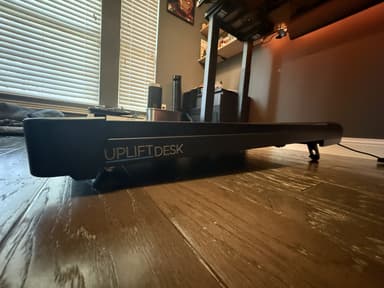
Why it earns a spot: it turns hours you were already spending at the desk into movement. Walking is always the best place to start, and a pad under the desk makes starting almost automatic. It tops out at 4 miles an hour, so it is built for walking, not running.
Setup notes for any walking pad:
- Center it under the desk so your keyboard is straight in front of you.
- Raise the desk a touch higher than your plain standing preset and save that as its own preset, since the deck adds height.
- Start slow and build up speed and incline in small steps.
- Keep cables off the floor behind the deck. More on that below.
Mats: For the Hours You Stand Still
If you do not walk while you work, the floor is the next thing to fix. A flat pad tends to lock you into one position.

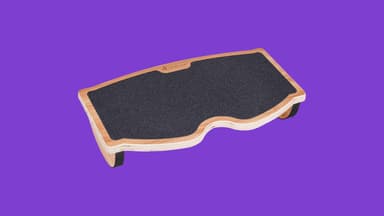
Footrests: When the Desk Comes Down
Nobody stands all day, and you should not try to. The seated hours can still involve some motion.
Cable Management That Survives Full Height
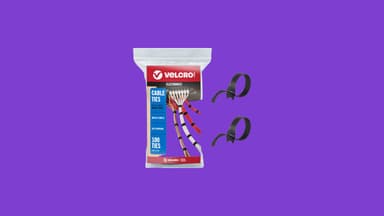
This is the upgrade people skip, and it is the one that bites. Cables that look tidy at sitting height pull tight at standing height, tug a monitor, or drag a power strip off the back of the desk. Add a walking pad and a loose cable on the floor becomes something to trip on.
Plan every run for the highest position the desk will reach. Leave a loop of slack at each connection, bundle the slack, and route it down one path to the wall.
On my desk, UPLIFT sent a cable management kit and concealer with the 4-Leg, and it took the whole setup down to a single concealed cable. You can see how it looks in The Battle Station. You do not need a full kit to get most of the way there, though.
Lighting for Early Mornings and Late Nights
A lot of dad desk time happens before the house wakes up or after the kids are down. A dark room with a bright screen is rough on your eyes, and a desk lamp takes up space you just cleared.
Laptop Stands: Give the Desk Back
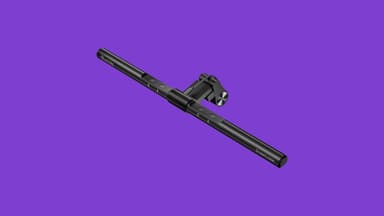
If your laptop runs closed next to an external monitor, it is taking up a big rectangle of desk for no reason. On a standing desk, that space is where your keyboard and mouse should sit, close to your body with your wrists straight.

Speaking of keyboard and mouse: mine are the NuPhy Halo96, which switches between my gaming PC and my Mac mini, and the Logitech G502 X Plus, which runs work macros by day and games after the house goes quiet. Neither makes standing easier on its own, but a good board and mouse you like using keep you at the desk you set up.
Storage That Keeps the Surface Clear
A standing desk surface fills up fast, and clutter is what makes you stop adjusting it. UPLIFT Desk sent me four MoPac cabinets and a 3-Drawer File Cabinet to review, and they sit on either side of my desk. Closed cabinets down low keep the clutter out of sight and away from kid hands, and the surface stays clear.
Standing Desk Upgrade Checklist
| Upgrade | Solves | Pick on this site | Skip it if |
|---|---|---|---|
| Stable desk with presets | Wobble, forgetting to switch | UPLIFT V3 4-Leg (owner review) | Your desk is already rock solid |
| Walking pad | Standing still for hours | UPLIFT Inclining Walking Pad (owner review) | You have no room under the desk |
| Terrain mat | Sore feet on hard floors | Ergodriven Topo | You walk most of your desk time |
| Rocking footrest | Dead-still seated hours | StrongTek Rocking Footrest | You almost never sit |
| Cable ties | Cables snagging at full height | VELCRO ONE-WRAP | Your desk has a full cable kit |
| Monitor light bar | Dark desk, bright screen | Quntis ScreenLinear Pro | Your screen is ultrawide or curved and does not fit |
| Vertical laptop stand | Crowded desk surface | UGREEN Vertical Stand | You type on the laptop itself |
| Side storage | Clutter on the desktop | UPLIFT MoPac (owner take) | There is no floor space beside the desk |
Common Questions
Do I need an anti-fatigue mat for a standing desk? If you stand still on a hard floor for more than short stretches, a mat is one of the cheapest ways to stay comfortable. If you walk on a walking pad most of that time, you can skip it.
Can you put a walking pad under any standing desk? Most, as long as the desk raises high enough to cover the extra height of the deck and stays steady while you move. Measure the depth under the desk, and check that nothing like a crossbar or cabinet sits where your feet go.
How long should you stand at a standing desk? There is no magic number. Switch positions often, sit when you want to, and use presets so switching takes one button. The goal is movement, not standing for its own sake.
Is a footrest useful at a standing desk? Mostly for the seated hours. A rocking footrest can also work as a short balance session while standing, but a mat or walking pad handles all-day standing better.
How do I manage cables on a standing desk? Set the desk to its highest position, leave slack at every connection, bundle the slack with reusable ties, and run one path to the wall or a floor outlet.
Related Guides
- The Battle Station: My Complete Desk Setup, the full tour of the room this list comes from.
- Bad Back, Desk Job: A Disabled Veteran's Honest Guide, on why changing positions matters so much.
- Will the VA Pay for a Standing Desk?, for veterans looking at the one program that can cover it.
Carry what matters. At the desk, that means whatever keeps you on your feet tomorrow.
Every Dad Carry is reader-supported. Links on this page may earn us a commission at no extra cost to you. As an Amazon Associate we earn from qualifying purchases.