Every time I post a photo of my desk, the questions are the same: what desk, what monitors, what mic. So here's the full tour, updated now that the office is finally finished. Every component in the picture below, why it's there, and the bill.
First, the disclosure, because it covers a lot of this room: UPLIFT Desk sent me the desk with its monitor arms, power inlays, and cable kit, the walking pad, the MoPac cabinets and base, and the file cabinet with its wood drawer fronts, all free to review. They get no edits and no say in any rating. Everything in the second table I bought with my own money.
This setup is where I run the gym's business side, write this site, take calls, and game when the house goes quiet. It earns its keep in every one of those jobs. And it is built for standing. I stand more than I sit now. The only time I sit is when I'm in my truck heading to the gym or heading to work. The rest of the day I'm standing, walking, coaching, and being a dad on my feet.
UPLIFT Desk made the desk and the storage. The desk does not budge even at full height, and with the 15-year warranty behind it, I like my odds. The gear I bought follows one rule: buy the ecosystem where it matters, which is why SteelSeries is on everything that makes noise.
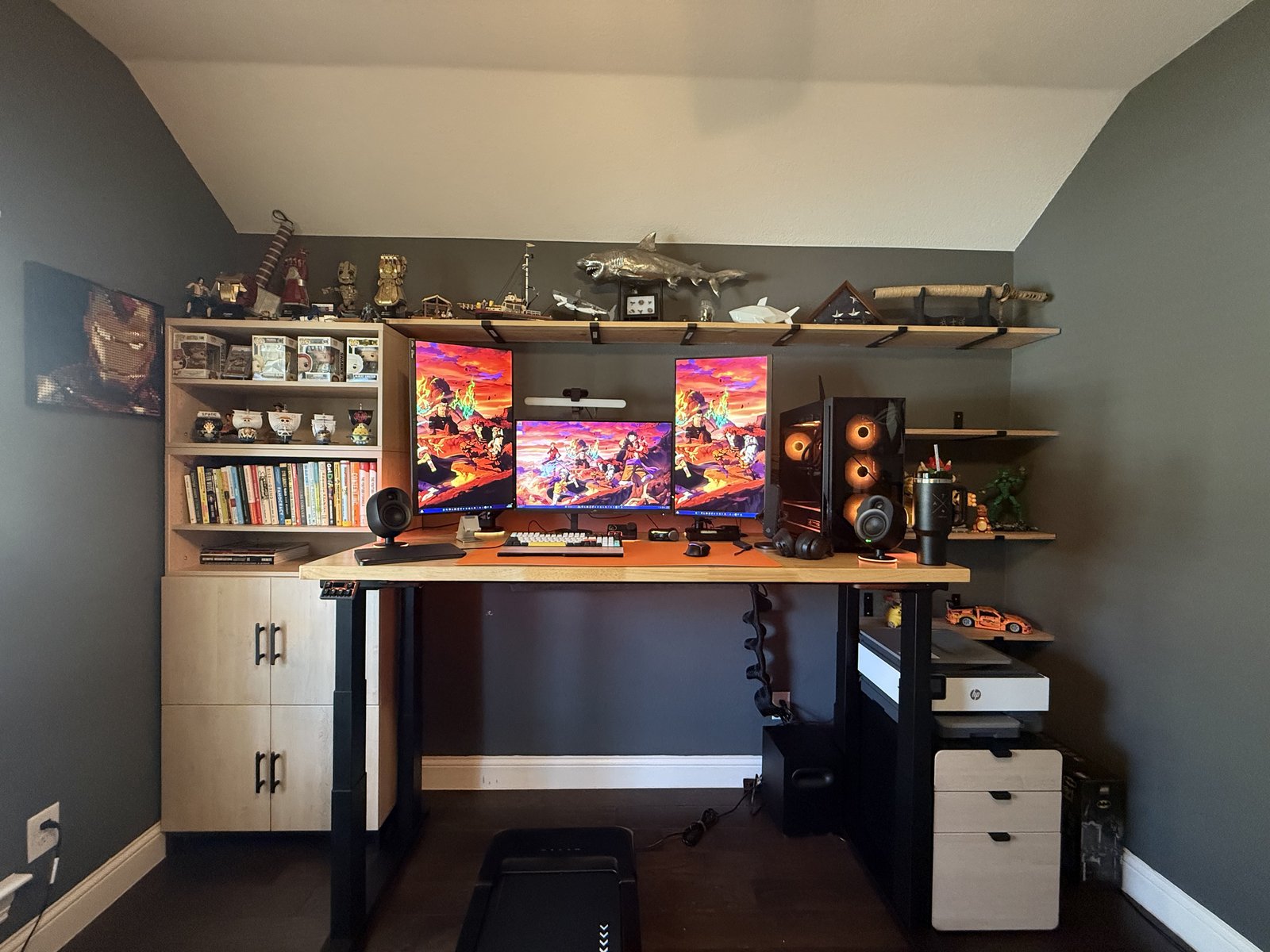 The whole room. Storage on the left, desk in the middle, files on the right, walking pad parked underneath.
The Foundation
Everything sits on the UPLIFT V3 4-Leg Standing Desk, rated to lift 535 pounds, with a motor in each of its four legs under a 72 inch top. After living with my original UPLIFT V3 2-Leg, the 4-Leg made a desk I already loved feel like the starter version. I can lean on it, push on it, and it does not move, even at max height. It came with monitor arms, a double and a single, plus power inlays in the desktop and a cable kit that got the whole standing setup down to one wrapped cable. It has its own full review, and its own story about my back, because for me a standing desk is not a furniture choice, it's a medical one.
Full review · Build your own V3 4-Leg
Under the Desk
The UPLIFT Inclining Walking Pad lives under the desk and pulls out in seconds. I walk at 2 miles an hour at the max incline while I type, and it is the easiest way I know to raise your daily energy expenditure without stealing an hour from your day. Walking is always the best place to start.
Full review · See the walking pad
The Storage
This is the new part, and it's the part that made the office feel finished. My old shelves were a trip to Lowe's and a vision, with nowhere to hide anything. Now the left side of the desk is four MoPac cabinets from UPLIFT Desk: two closed cabinets on the bottom to keep things out of sight, out of mind, and away from kid hands, and two open ones on top as bookshelves. The system is modular, so when I get a bigger office someday, the cabinets can change shape with it.
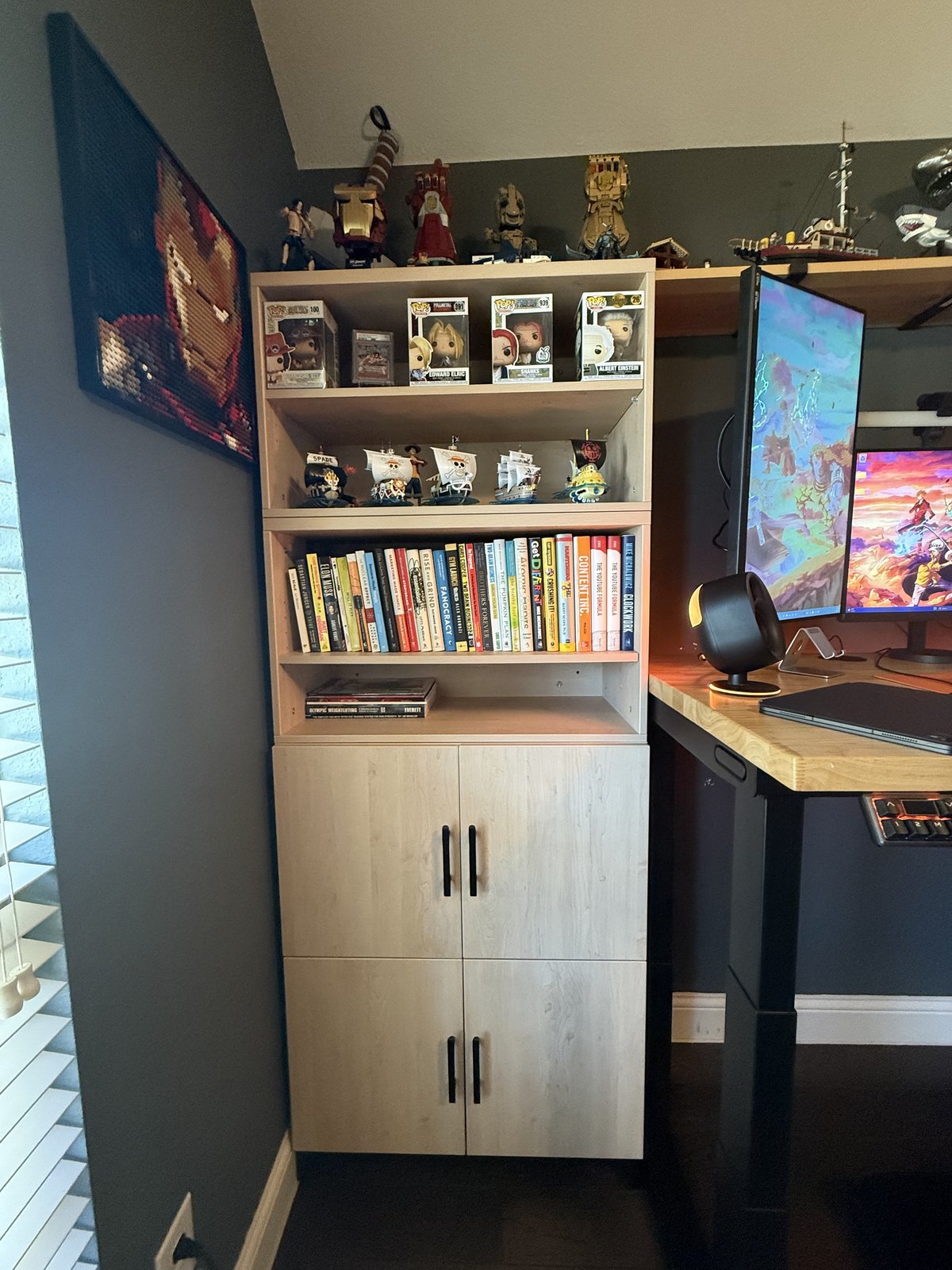 The MoPac stack: books, Funko Pops, and One Piece ships up top, everything else behind doors.
On the right side is the 3-Drawer File Cabinet. It came all black, and the wood drawer fronts I put on it match the MoPac. A couple of screws on the drawer faces, and in my opinion it doubled the look. Now it's MoPac on the left, the desk in the middle, and the file cabinet on the right, and the whole room reads as one setup instead of three separate pieces.
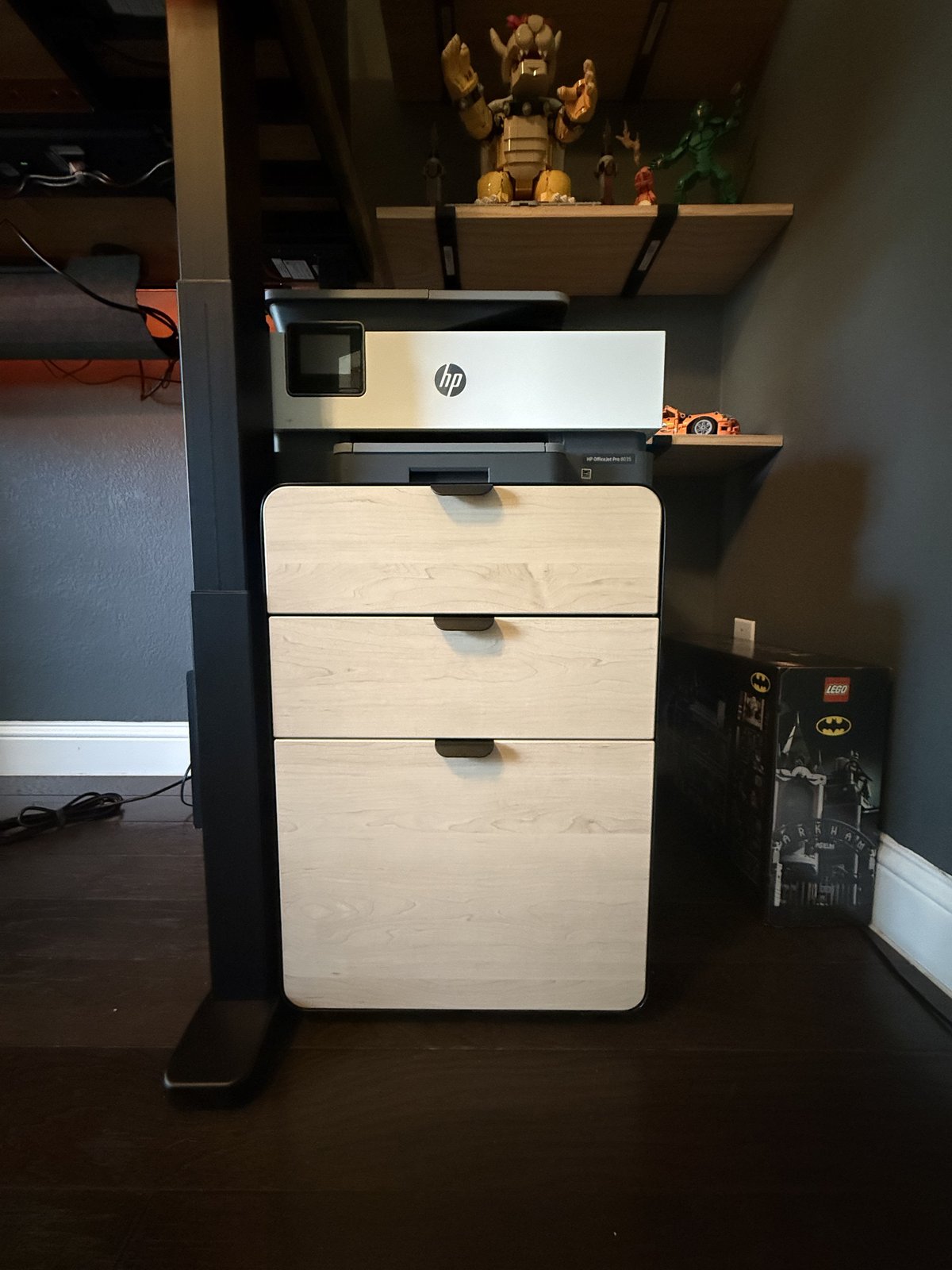 The file cabinet in its wood fronts, printer riding on top.
One lesson from this section: measure at the baseboards. I planned to mirror the MoPac stack on the right side, and the baseboards made the space about half an inch too short. The MoPac review has the whole story.
MoPac review · Shop the MoPac Cabinet · File cabinet review · Shop the file cabinet
The Screens
Three ASUS ROG Strix 27" 4K monitors: two vertical on the wings and one horizontal in the middle, riding on the desk's monitor arms. 4K at 160Hz with 1ms Fast IPS is the no-compromise spec: crisp enough for spreadsheets and writing all day, fast enough that games feel like games at night. The vertical wing screens are the productivity cheat code nobody tells dads about. A full document, chat, or chart without scrolling.
The Hands
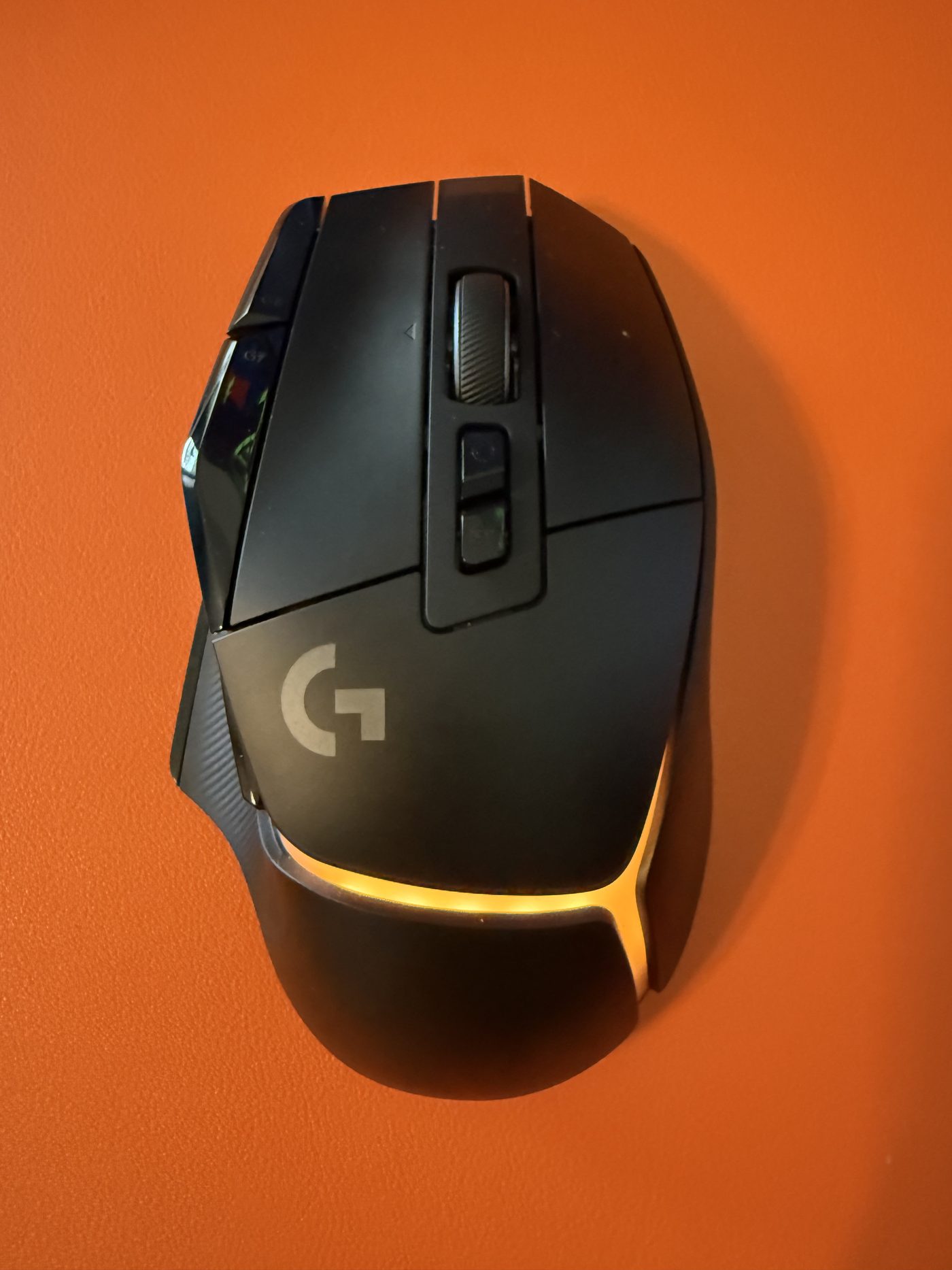
The mouse is the Logitech G502 X Plus, the wireless, glowing version of the most decorated mouse shape ever made (full review). Thirteen programmable controls means the work stuff (copy, paste, mute) and the game stuff (push-to-talk, the DPI-shift sniper button under the thumb) all live within two fingers, the hybrid optical-mechanical clicks feel built to outlast the desk, and the underside has a PowerPlay slot waiting for the day charging disappears entirely. Under the other hand: the NuPhy Halo96 (full review). It's gasket-mount and hot-swappable, so it types soft and upgrades forever, with a 96% layout that keeps the number pad for spreadsheet season without stealing the mouse's runway.

The Sound
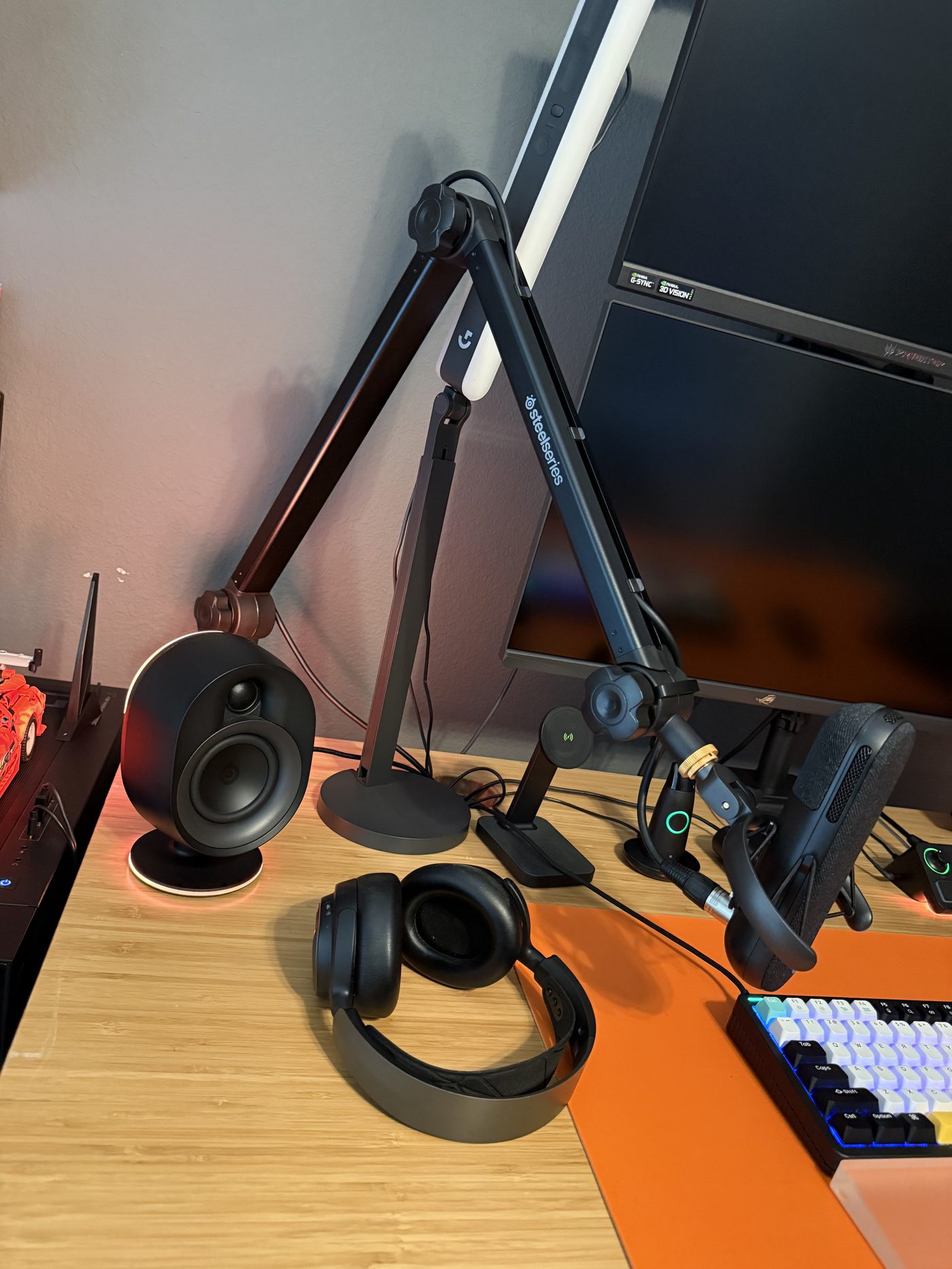
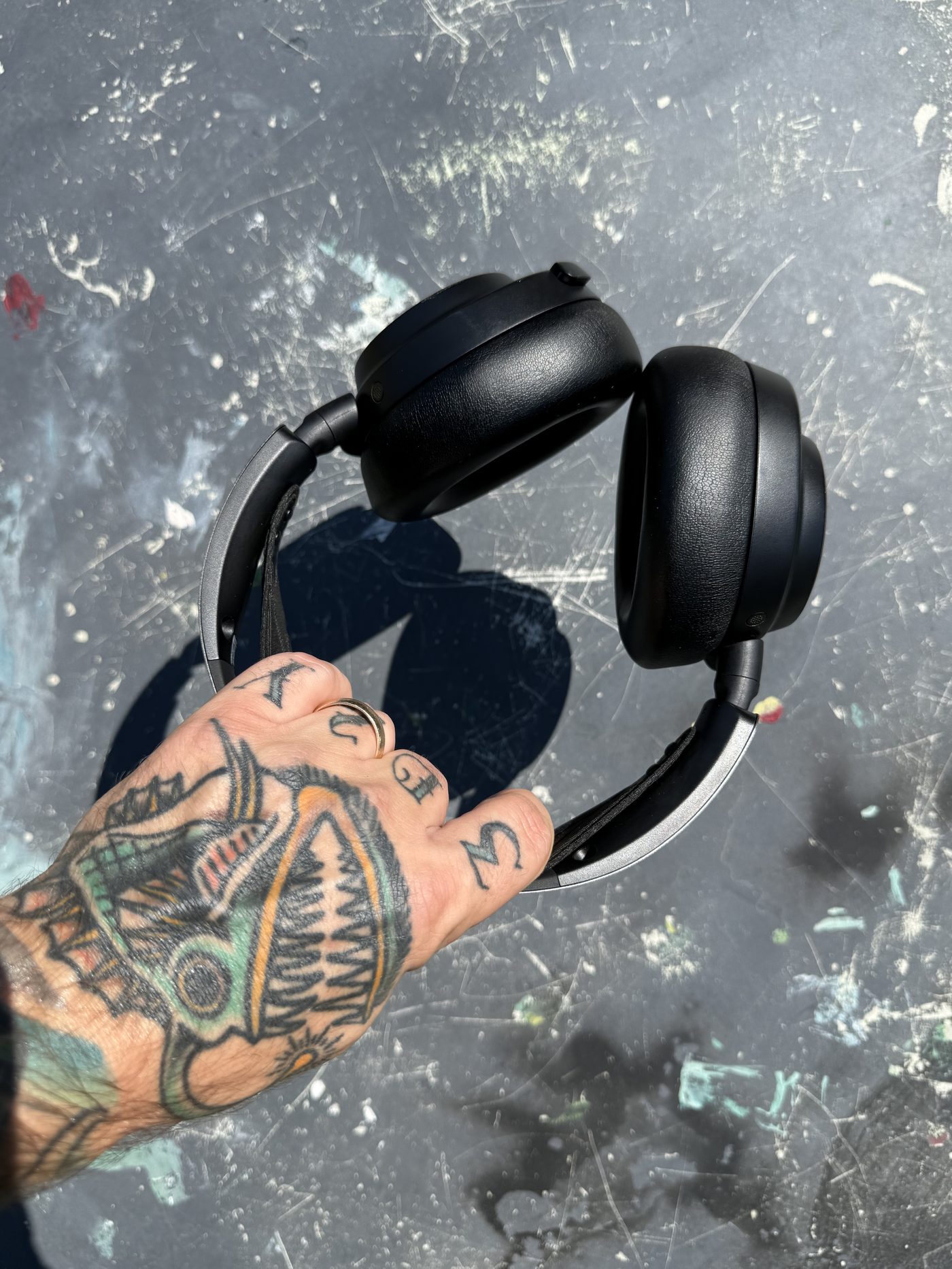
In the SteelSeries family, deliberately, because their gear talks to each other. Out loud: the Arena 7 speakers, a proper 2.1 system with a subwoofer under the desk that makes games and music feel like events (full review). When the house is asleep: the Arctis Nova Pro Omni headset, with active noise canceling, hi-res wireless, and a hot-swap battery system that means it is simply never dead (full review). Dad translation: ANC plus a closed door is the closest thing to a sensory deprivation tank a father gets.
The Voice
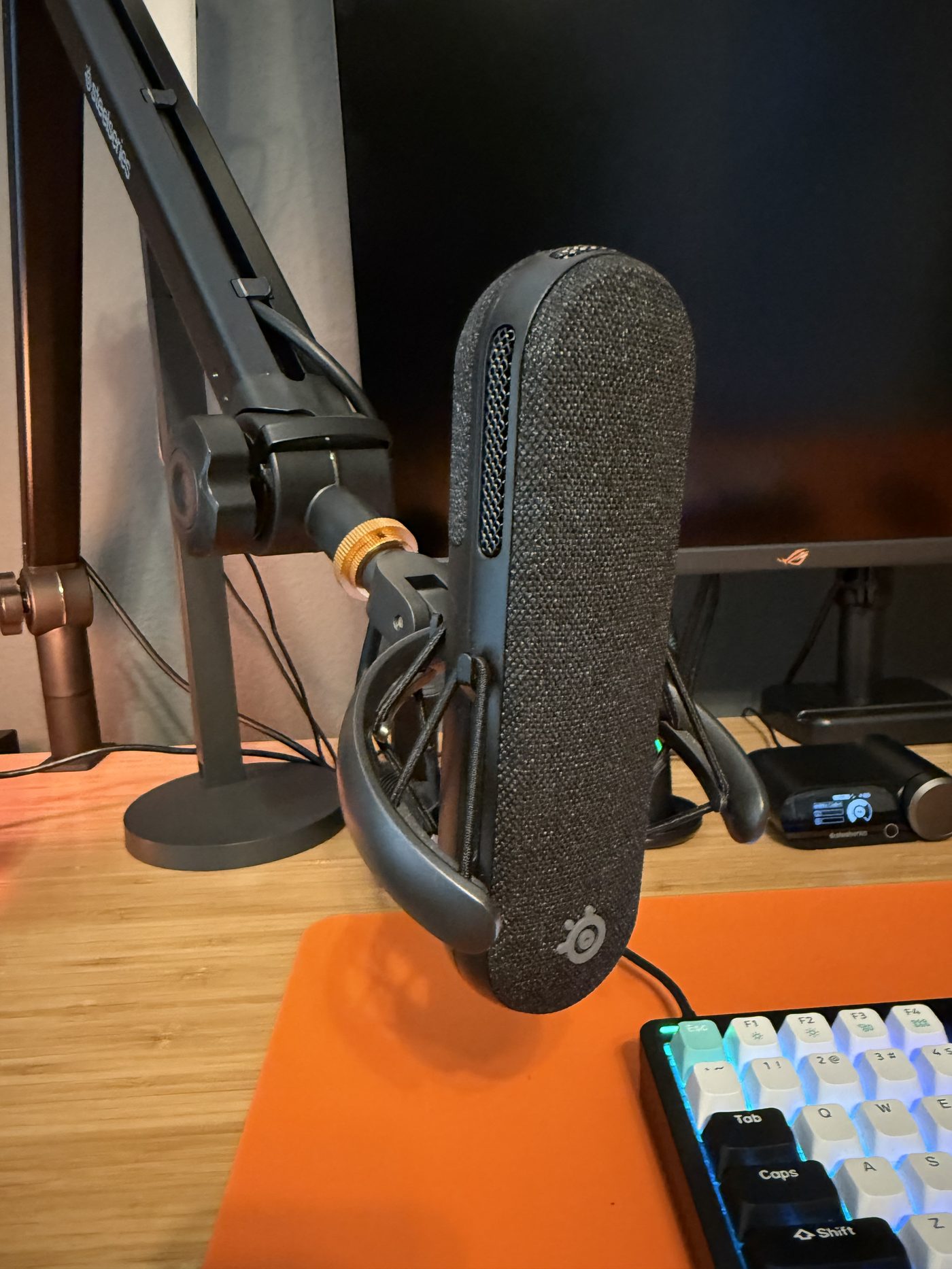
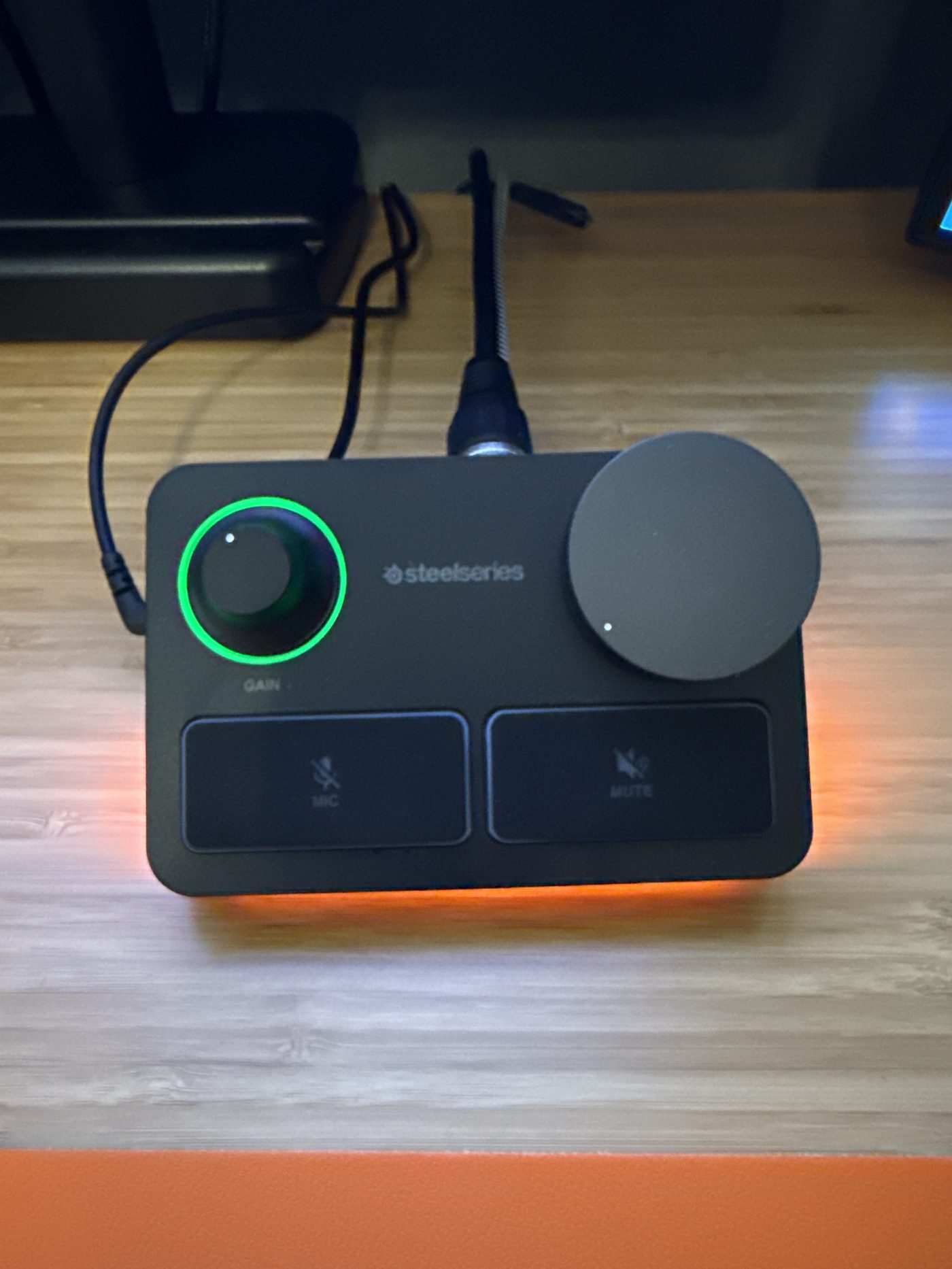
The Alias Pro XLR mic and stream mixer is more microphone than most people need, which is the point. Calls, recordings, and any future content all sound like a studio instead of a laptop (full review). It used to hang on the matching Alias boom arm, which folds flat, hides its springs and cables, and swings away when the desk needs to be a desk (full review). The arm is off the desk now. It does not play nice with the way the three monitors sit on the UPLIFT arms, so the mic stays on the desk and the boom is waiting for a setup that fits it.
Light and Camera
The Logitech Litra Beam is the difference between looking like a hostage on video calls and looking like a person, with soft, adjustable light that doesn't stab your eyes off-camera. Paired with the Brio Ultra 4K webcam up top, the camera setup is fully meeting-proof and future-proof for anything this site ends up filming.
The Bill
The first table is priced as a starting point, because most of it is configured to order. Desk frame, MoPac, and file cabinet prices from www.upliftdesk.com, checked September 16, 2026; walking pad price as of its review. All before any sale.
| Sent by UPLIFT Desk | Price |
|---|---|
| V3 4-Leg standing desk | Frame from $919; most builds land $1,400 to $1,800 |
| Inclining Walking Pad | $349 |
| MoPac Cabinet, four high on a base | About $1,057 |
| 3-Drawer File Cabinet with wood fronts | About $373 |
| Bought with my own money | Link |
|---|---|
| ROG Strix 27" 4K × 3 | Check price on Amazon |
| Arena 7 speakers | Check price on Amazon |
| Arctis Nova Pro Omni | Check price on Amazon |
| Alias Pro mic + mixer | Check price on Amazon |
| Alias boom arm | Check price on Amazon |
| Litra Beam | Check price on Amazon |
| Brio Ultra | Check price on Amazon |
| G502 X Plus mouse | Check price on Amazon |
| NuPhy Halo96 keyboard | Check price on Amazon |
Built over time, not in one bleeding checkout. The desk first (my original V3 2-Leg, bought for my back), one monitor second (work), sound third (sanity), voice and camera last (vanity, honestly). That order is my actual recommendation if you're building your own: spine, screens, sound, then studio. The storage came after all of it, when UPLIFT Desk sent the MoPac and the file cabinet.
The LEGO sets and One Piece ships on those shelves are not for sale and not linked. Some things you earn brick by brick.
This whole office has been an absolute game changer for me, and the MoPac and the file cabinet sent me over the moon. So thank you, UPLIFT.
Every Dad Carry is reader-supported. UPLIFT Desk sent me the desk with its monitor arms, power inlays, and cable kit, the walking pad, the MoPac cabinets and base, and the file cabinet with its drawer fronts free to review; they get no edits and no say in any rating. The rest of the setup I bought with my own money. Links go through our UPLIFT and Amazon affiliate accounts at no extra cost to you.